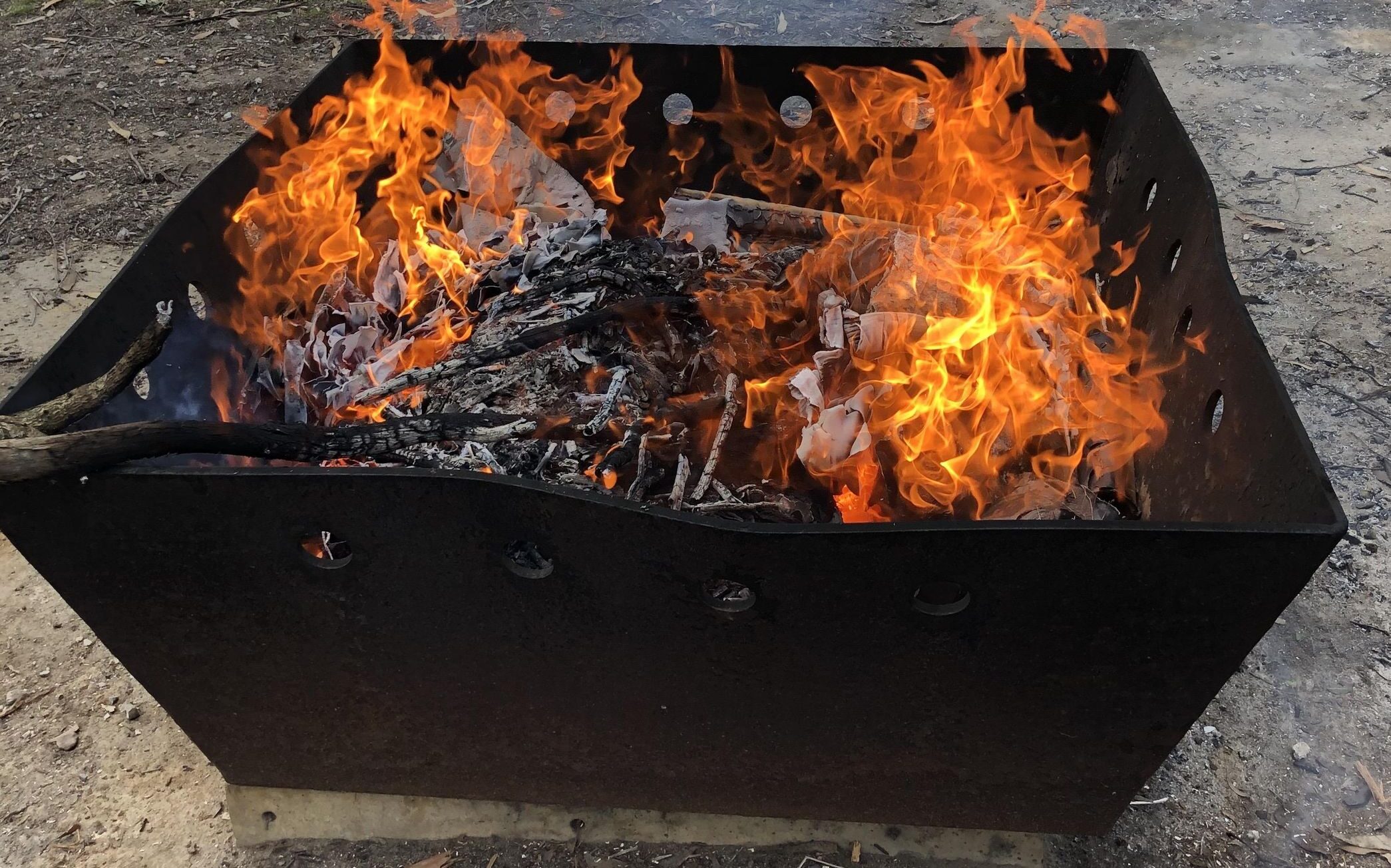
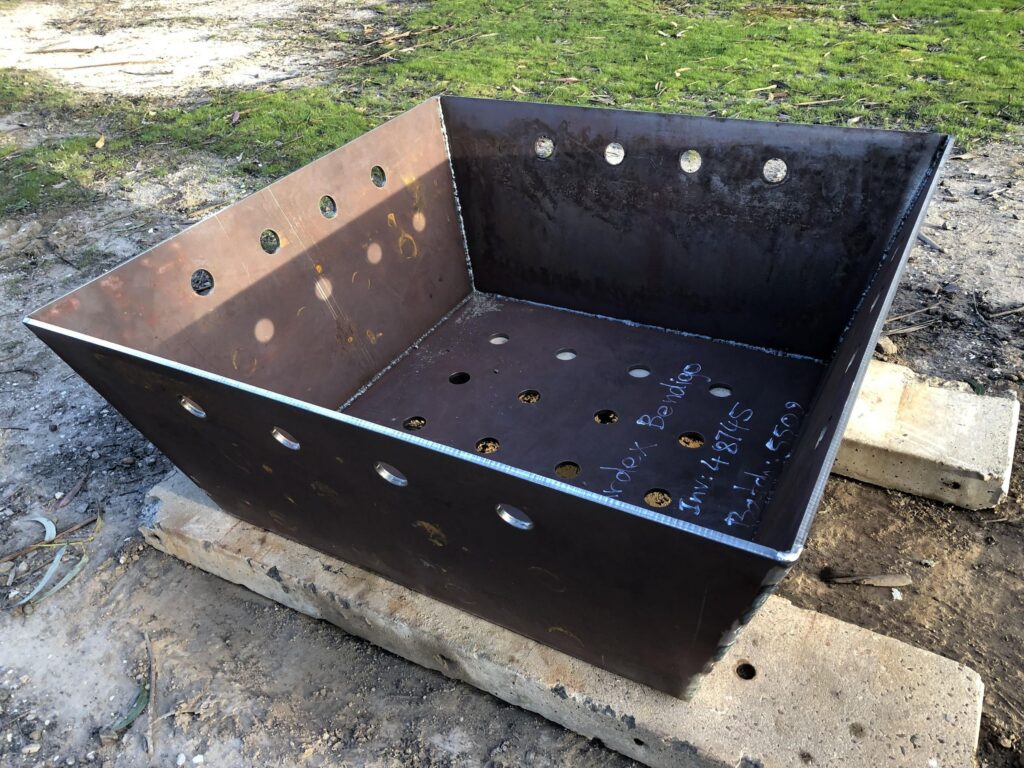
I built this fire pit back in 2018. I wanted something that was going to last and could take a bit of punishment, so I came up with a design on paper and got it laser-cut at my local steel supplier, Surdex. I went with 10mm plate.
I then undertook my biggest welding project to date, with minimal skills and budget equipment.
The result is a 1.2m square pit (at the top) that weighs a fair bit and takes a serious load of wood. It’s been through plenty of big burns since and shows no sign of giving up, aside from a bit of ‘character’ warping.
It sits on concrete blocks, with loose bricks plugging the ends underneath so I can open or close them to control airflow.
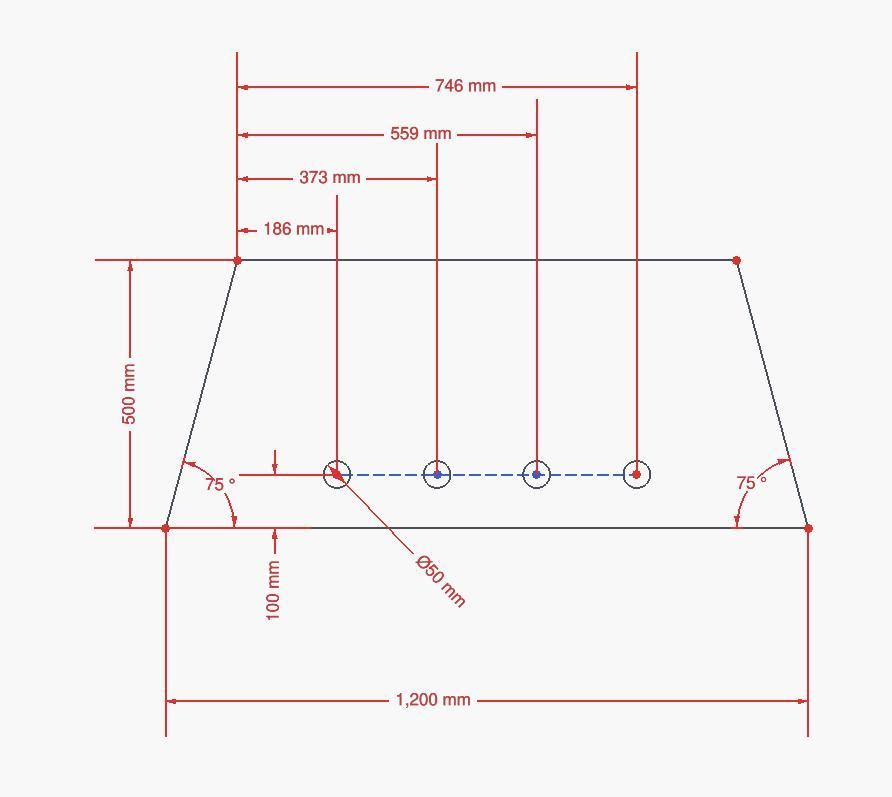
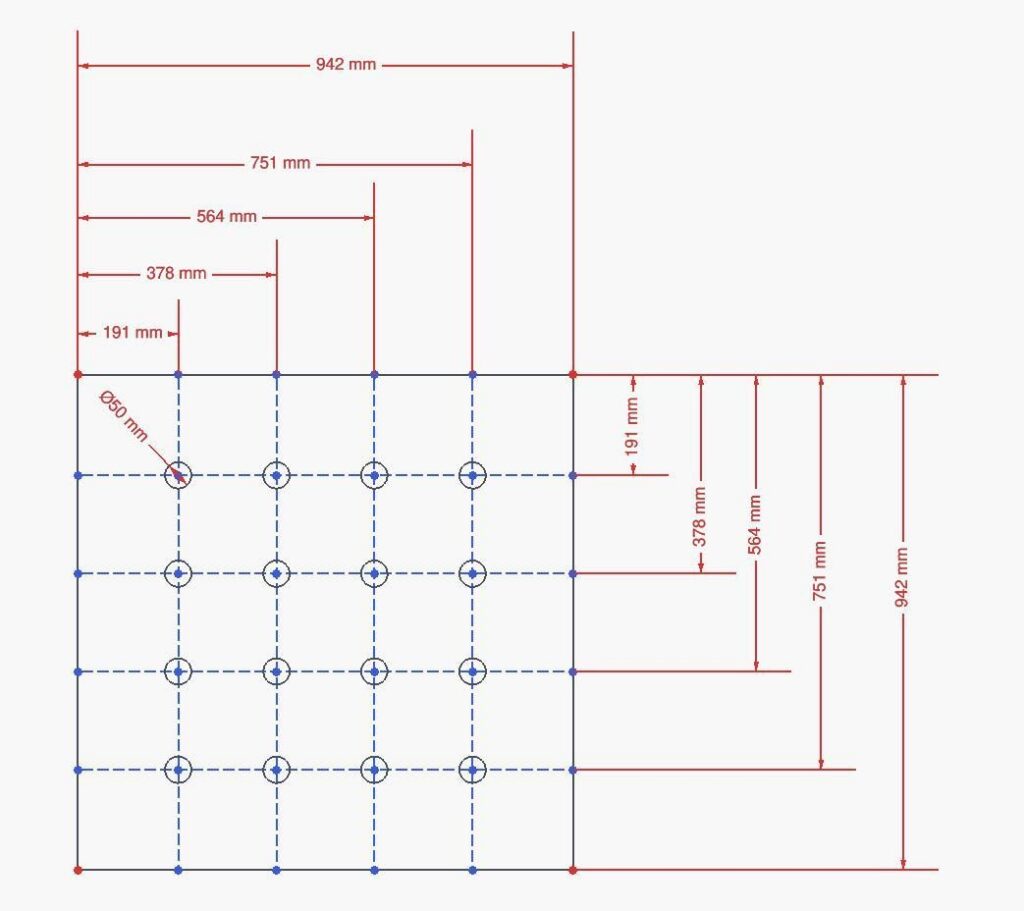
Dimensions:10 mm (3/8″) thick mild steel plate, 1200 mm (47″) opening at the top, 942 mm (37″) square base, 483 mm (19″) high.he shape, I’ve since learned, is an inverted frustum — basically a pyramid with the top chopped off.
Weight: The delivery docket says 287 kg (633 lb) of steel, but I never weighed it.
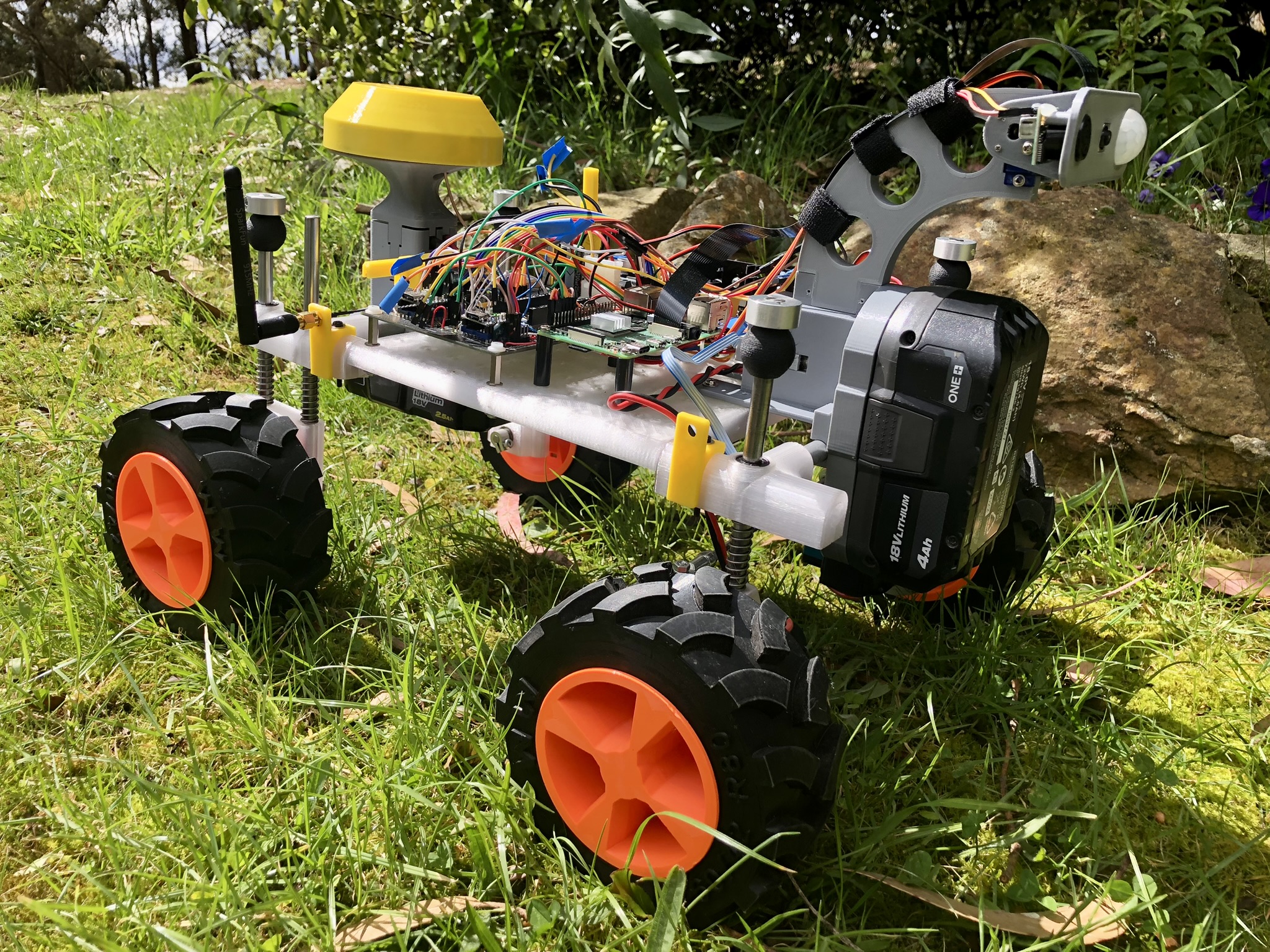
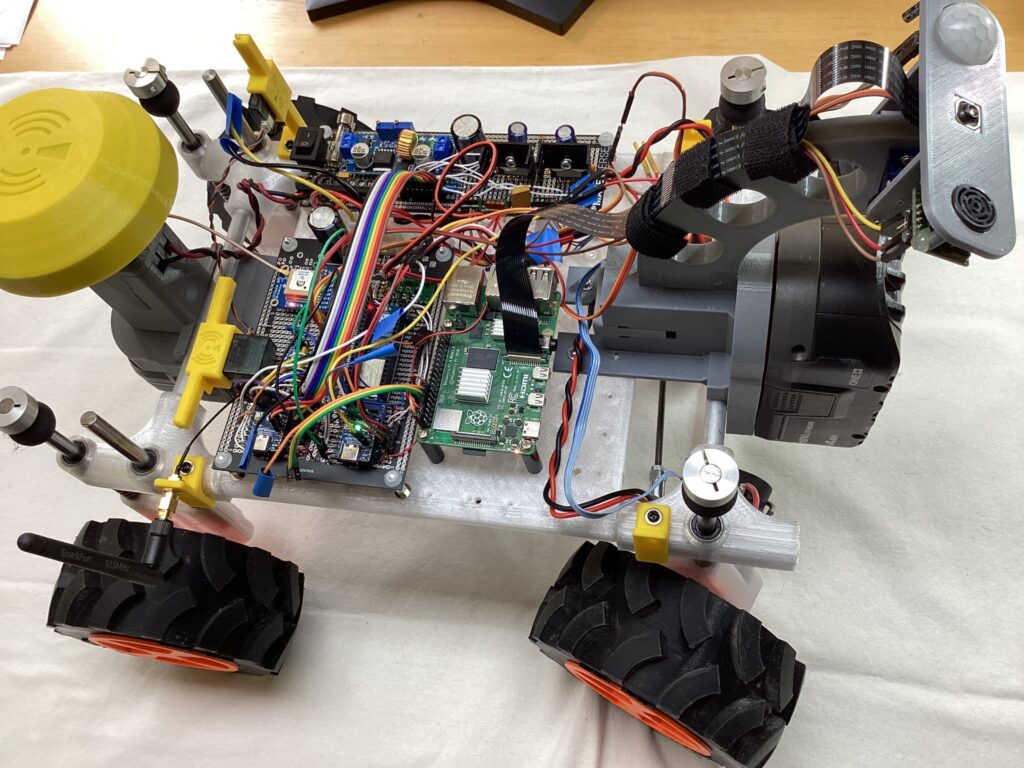
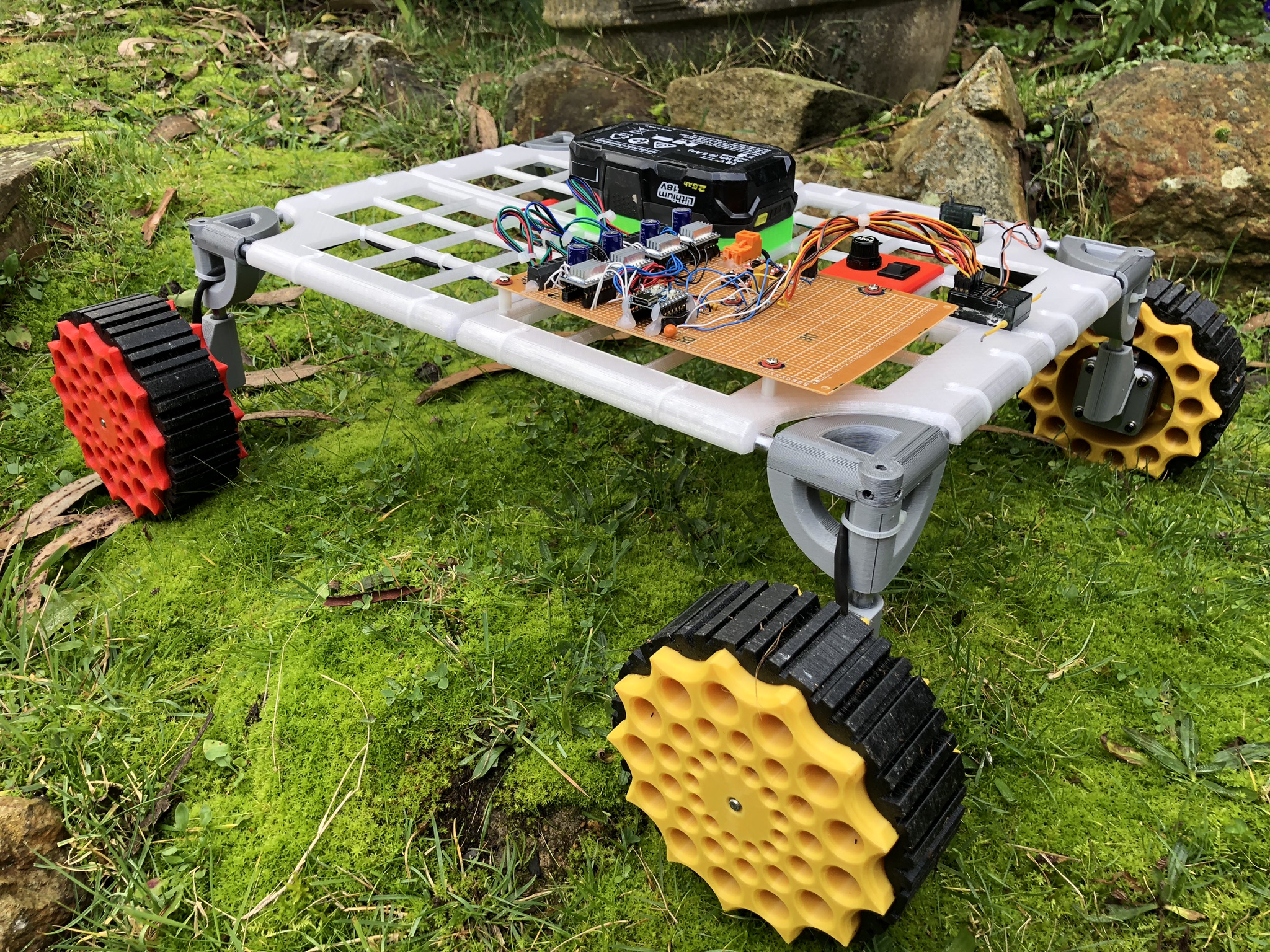
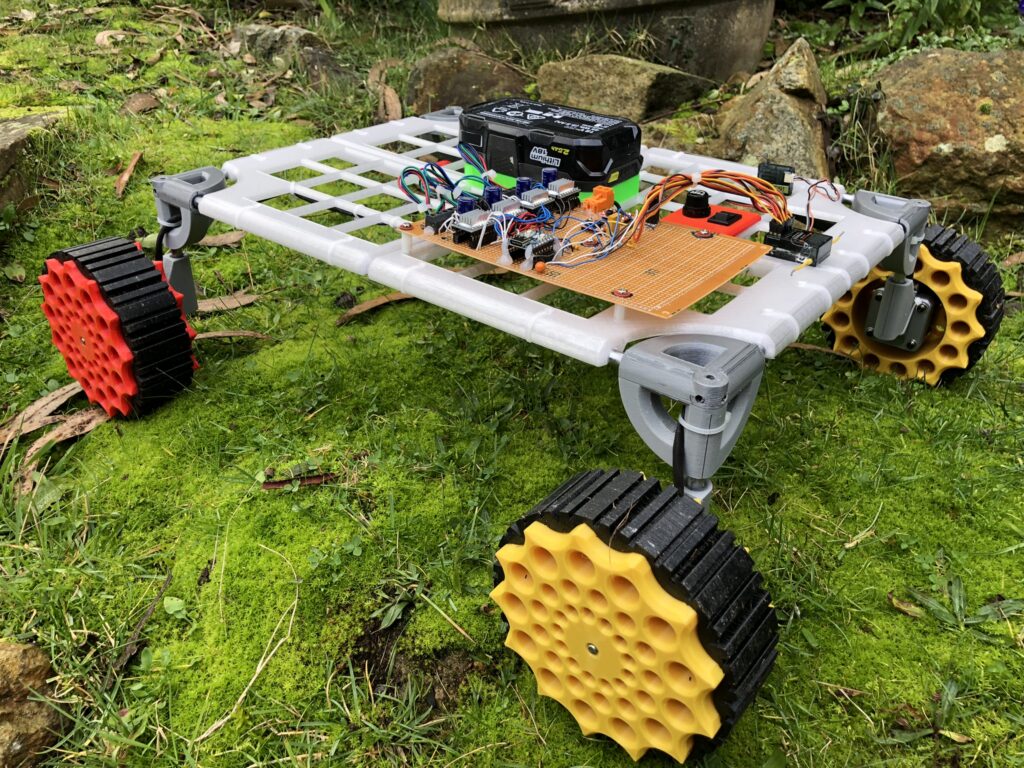
Roverling is an autonomous robotic vehicle capable of navigating via IMU and GPS, executing waypoint-based movement, dynamically adjusting steering and velocity using PID control, communicating via RC, LoRa, or Wi-Fi for remote or semi-autonomous operation, and logging telemetry for real-time monitoring and analysis.
It’s not the best design. It’s not refined. The code isn’t elegant. But it works – and it’s fast.
Want to build your own, or something similar: All design files, schematics, python code, 3d models and build tutorial all here for free.
A few months back I created a basic mobile platform using parts from an old 3D printer. It was fun but not very practical.
I designed Roverling Mark II so I could experiment with a practical, configurable, and reliable mobile platform. Hopefully, one day we get it to do some useful stuff around our bush block, like:
Searching paddocks for weeds and recording locations.
Navigating down a 200m drive to check if the gate is closed.
Navigating up the drive 50m to check that the machine shed roller doors are secure.
Recording animal sightings on the block. We’d see up to 50 ‘Roos’ per day on our block.
It would be good to identify and scare deer away from our olive grove.
And a friend already wants to mount a metal detector and do automatic scanning of a large area.
To that end, here is the complete design and everything you need to know to make your own or any variation. As much as possible I’ve kept the cost down to a minimum, reused some older parts, and printed as much as possible.
Specs:
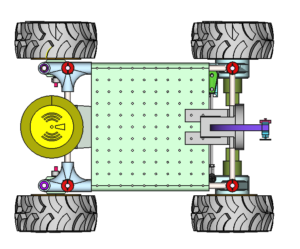
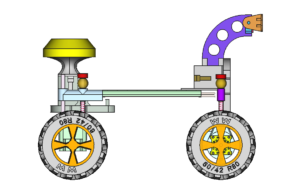
440 mm long x 350 mm wide, 250 mm max height, 200 mm nominal platform height
3.5 kg without battery, uses an 18V power tool battery
Up to 22 satellite GNSS receivers, augmentation using SBAS, 1Hz updates
IMU: 3x accel, 3x gyro, magnetometer, pressure
2.4Ghz 6 channel RC receiver and decoder, with diverse receiver
2 channel motor quadrature decoders
2 channel motor current sensors (effectively torque sensors)
Sonar, ranger
915 Mhz LoRa module. Comms at 1800 bps, 64 byte telemetry packet, 16 byte command packet, encrypted, super reliable
LoRa base station, which is effectively my MQTT gateway for telemetry and commands back
Mapping module runs on desktop from the MQTT feed to produce real-time tracking info overlaid on an image (for me an old NearMap screenshot).
On board, RPi 4B w/ 4G running the latest OS with a camera 3 module. Work has just begun here, but object detection is working a treat, as does image capture and streaming.
All the 3D design is done in FreeCAD and all the slicing and printing on a Prusa platform. As well as the actual design files, I’ve also made available stl model files, g-code files, and Prusa project files for all parts.
The schematic is done with KiCAD. I used mixed prototyping methods and no PCB has been designed (yet) so you will need a fair understanding of how to layout and wire correctly.
All the code is in Python. I’ve pretty much written my own drivers for all of the low-level stuff except the sx1262 suite for LoRa. I’ve tried to document as much as possible.
BUILD TUTORIAL
Part 1: Mecha
Motors
Rather than steppers, I’ll be using brushed DC motors. Good ones, with planetary gears and optical encoders aren’t cheap, however, I have a few lying around from the 90s with suitable LM18200 H-bridges.
All of these were recovered from a SocBot platform, designed in 1999 by RMIT University to compete in the RoboCup games in Stockholm in 1999 and in Australia in July 2000.
This last SocBot has been lying around in storage since then and is starting to rust. It probably won’t make it into a museum, so parts it will become. The electronics are pretty old, a 68HC11 8-bit processor, running at 16MHz, programmed in assembly code, and a Xilinx 3000 series FPGA to achieve lower-level functions (kicker controls, quadrature decoder, PWM generation, etc). Now all of these are easily implemented on a $7.50 RP2040 MCU!
Back then these SocBots cost over $15k each to make.
The SocBot design was based on a 28.8V power supply (4x 7.2V NiCad RC racing packs), but there shouldn’t be an issue running at 18V, just less torque and speed. The SocBots were pretty heavy, at least 15kg, so if I can make this one lighter, the reduced voltage and subsequent torque shouldn’t be a problem for the acceleration I have in mind.
The motors I have recovered are Maxon 2332.909, 11W, 24V, diam 32mm, 17.83:1 planetary reduction with 100 CPT quadrature optical encoder. At 24V stall torque is 75 mNm * (18V/24V) * 17.83 ratio = 1003 or close enough to 1 Nm per motor at 18V – nice. The measured weight is 340g each.
Gear Specs (can’t find actual specs from 1999, but this is very similar): part number 166159
Hubs (1x front left, 1x front right, 2x rear)
Rather than a custom design for the motor mount, I have decided to use a more universal approach to make it easier for others to follow with different motors, given that they are the most expensive components.
My particular gearhead matches one of the profiles on the ‘Motor Mounts For Andymark Neverest Motors – 1702 Series Quad Block Motor Mount ‘ (GB-1702-0032-0001) mounting bracket (shown in red below). So I designed my hub to suit, which should mean that the other motor mounts should also be compatible with this hub, as long as the motor diameter is less than 32mm.
In the next pictures, steering components are described later.
Rear Hub
A simple printed piece with two 6x15x5 bearings, and attached to the suspension/frame with two 8×150 SS rods.
Tyres & Wheels
I’m making these tyres with a greater section profile, less infill, and less perimeters compared to version 1. I also designed, I think, a better tread profile, which also requires less support material to print.
In the wheels, I have included a captured nut and set screw so that it is easier to secure to the motor’s D-shaft.
The front wheels have more space on the inner side to fit the motor, whereas the back wheels have an extended collar.
Right and left tyres are a mirror image of each other, achieved at the slicing stage, rather than with FreeCAD. Fit the tyres so the ‘arrows’ on the tread point to the main direction of travel.
Steering
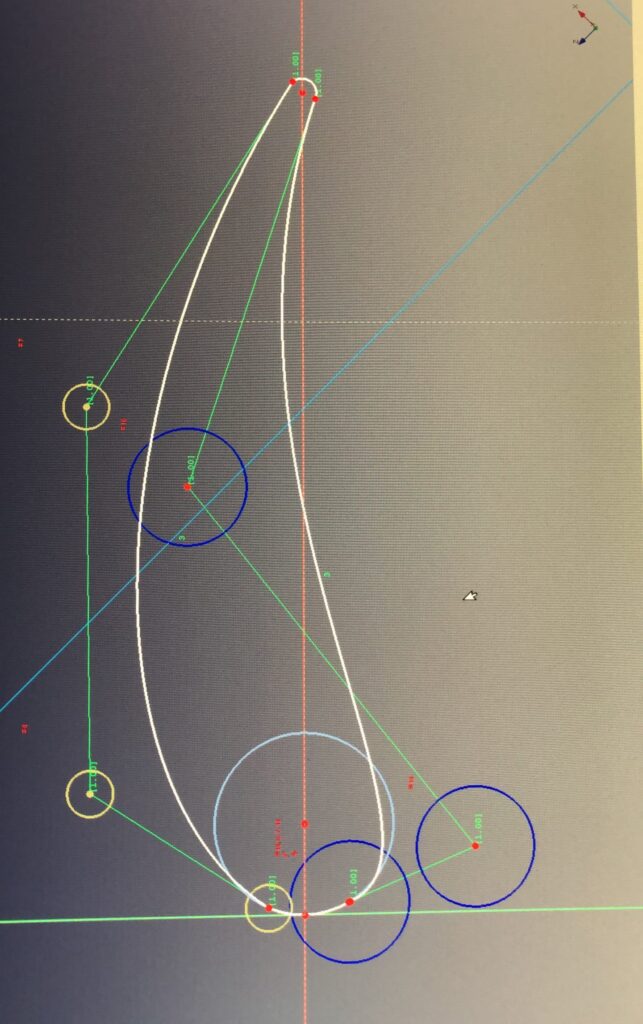
I’m not sure if it’s a done thing, but I used the constraint-based sketcher in FreeCAD to dynamically simulate movement in the design. You basically set up all the constraints but don’t fully constrain them. I then drag the linkages around and see the effect. This allowed me to simulate many different design variations before committing to anything. It’s not a perfect tool, but for what it costs it can do amazing things.
I’ve left the simulation ‘part’ in the FreeCAD project, so take a look if you want.
Rather than trying to reinvent from scratch and fail, I’ve decided upon a proven Ackerman Steering Geometry with the following characteristics:
Kingpin centres: 200 mm x 300 mm
Steering rod to kingpin centre length: 35 mm
Tie rod length 177.3 mm for about a 0.5-degree toe-in on each side
Ackerman angle 18.44 degrees
No camber or caster angle at this stage.
Linkages aft of the wheel, initial designs had it forward.
I’ll be using a standard-size RC servo to control the steering, but rather than use this to linearly move the steering rod, I’ll mount it to one wheel hub so it effectively fixes the angle between the steering rod and tie rod. Between 60 – 180 degrees gives full steering in both directions. The servo I have at hand is rated at 0.3 Nm (3 kg.cm) which can easily be replaced with a 1 Nm unit if required.
The front left hub also serves as the mounting point for the servo, with the shaft output directly in line with the calculated Ackerman geometry.
Important note: I have used the normal left/right car-based nomenclature to identify the sides. This is NOT consistent with that used in FreeCAD, as it is based on looking from the outside of the object rather than from within.
Suspension
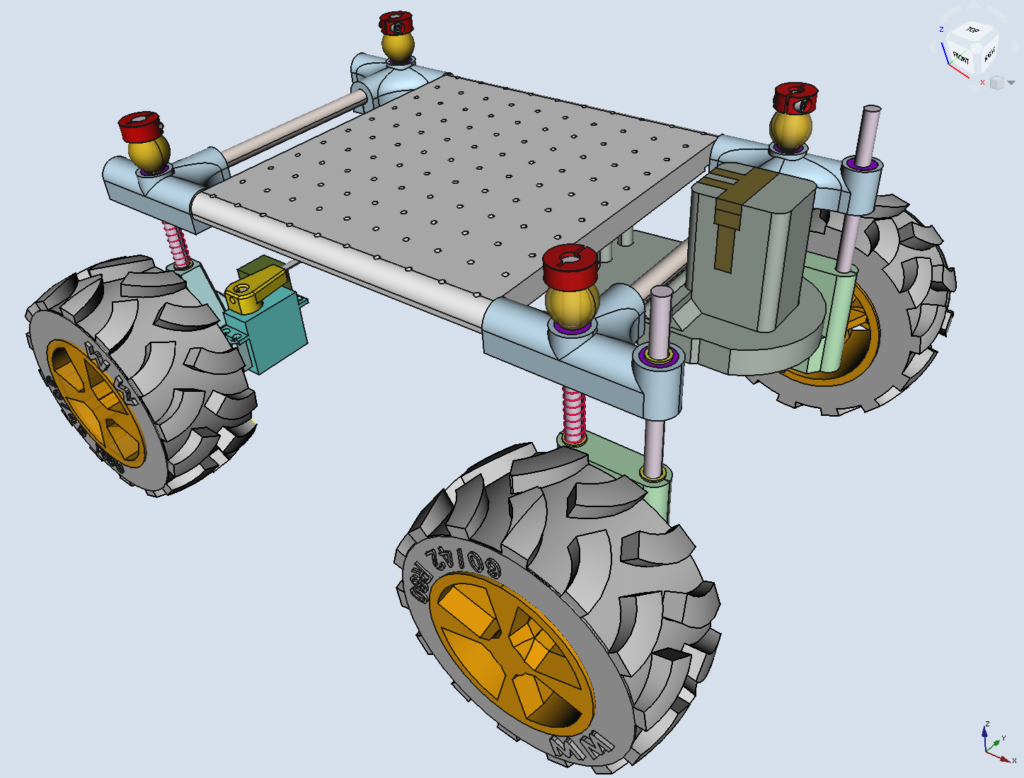
Independent. A very simple sliding pillar design. Each hub has one or two 8mm vertical SS rods securely fastened to the hubs. The front ones are effectively the kingpins.
Then starting from the bottom working up:
Printed hub
Steel shim 8x11x1
2x Stainless Springs 1x10x40
Steel shim 8x11x1
Linear Bearing 8x15x24 – embedded in chassis corner
Steel shim 8x11x1
Printed Flex Stop
Clamping Collar 8x21x9
Pics show unloaded and with a 10kg payload.
Chassis
In my last design, I used 8mm steel rods that added significant weight. This one uses a plain old 10 x 1.5 mm aluminium rod.
The corners contain the linear bearings and affix to the axial and radial aluminium rods. The design allows me to extend the platform on the front for sensors whilst using the back to secure the battery pack to help distribute the weight.
There is a generic platform with holes on 20mm centres for mounting electronics and other accessories.
In the pictures, you will also see my battery adapter, which has been modified from the previous design to fit this chassis.
Model
Print Parts
I usually print with generic brand 3D filaments and until now I haven’t really had a problem with them. In this picture, the black parts are Bilby 3D brand PETG, the clear is eSun PETG and all the other colours are Bilby 3D PLA. The black stuff is very brittle, more so than any of the PLA’s.
Moving forward this entire project will be printed in eSun branded filament as I have had much success with this brand. I have no commercial association with eSun.
In the sliced project and G-code file names, Rn denotes the revision number (n) of the slicing and printing attempt, not the design revision. So R205-Hub-FL-R3.3mf means Roverling design version 205, of the Front Left Hub, and Revision 3 of the slicing and printing parameters.
Support: make lighter and further separation. It is very easy to remove, just grab it from the centre and pull it off quickly – like a bandaid.
And importantly, limit the maximum volumetric speed to 3.5mm^3/s On the i3 Prusa I used the provided SemiFlex profile, but increased the volumetric speed by around three-fold without printing issues. About the only change I make to the printer is to loosen the feed pressure screw substantially.
There is also a ‘tyre label’, which I merge with the main tyre to provide the writing.
Within the slicer, I have mirrored two of the prints for the opposite side. Mainly to ensure that the bottom/top of the print is the same on each side and the writing is on the same side. Not entirely necessary.
Inside the tyre is nearly all air, only 3% infill to hold up the top
2x Front Wheels R2 & 2x Rear Wheels R1
Material: eSun PETG in solid orange
Generic setting: 0.3mm draft
Perimeters: top: 4, bottom: 3, perimeters: 5
Infill: 20% grid
Avoid perimeter crossing
Top/bottom fill pattern: concentric
Generate support material everywhere
Note that one of two runs might be left hanging to the top rim edge. Just chop them off as nobody will see anyway. It’s not worth creating support just for this.
Don’t fit the tyres to the wheels yet
1x FL Hub R3 & 1x FR Hub R2 & 2x Rear Hub R1
Material: eSun PETG natural
Generic setting: 0.3mm draft
Perimeters: top: 5, bottom: 5, perimeters: 6
Infill: 10% rectilinear
Top/bottom fill pattern: concentric
Generate support material everywhere
Don’t attach anything yet.
2 x Front Chassis Corners R5, 1 x Back Right & 1x Back Left (mirror) Chassis Corners R2
Chassis Corners. These were very strong in the last design as the fill was 100%. This also made them heavy. The new design aims for about a 1.5 mm wall thickness with minimum infill.
Material: eSun PETG natural
Generic setting: 0.3mm draft
Perimeters: Top: 6, bottom: 5, perimeters: 6
Infill: 10% rectilinear
Top/bottom fill pattern: rectilinear
Then carefully clean up the supporting material. Don’t drill out 10mm holes, just use a 9.5mm drill, by hand, to remove support material.
The rods need to fit very tightly – you will need a hammer to get them in, BUT NO MORE than 30mm. And then a pair of pliers to get them out – twist and turn as you go. Same with linear bearings. But don’t do this step now. Once in they should stay in.
1 x Platform R2
Hard to stick down at the edges at bed 80 degrees, so up to 90+ degrees and slow the first layer down to 80%
Material: eSun PETG natural
Generic setting: 0.3mm draft
Perimeters: Top: 4, bottom: 3, perimeters: 8
Infill: 20% grid
Top/bottom fill pattern: monotonic
Generate support material
4x Flex Stop R1 (shock absorber)
Material: eSun eLASTIC Flexible TPE in black
Generic setting: 0.3mm draft, no special settings, no support
Limit maximum volumetric speed to 3.5mm^3/s
1 x Servo Horn Adapter R2
Material: eSun PETG natural
Generic setting: 0.3mm draft
Perimeters: top: 8, bottom: 8, perimeters: 6
Infill: 100% rectilinear grid
Top/bottom fill pattern: monotonic
Generate support material
1 x Battery Carrier R1
Material: eSun PETG in silver (looks grey to me)
Generic setting: 0.3mm draft
Perimeters: top: 4, bottom: 4, perimeters: 4
Infill: 20% grid
Top/bottom fill pattern: monotonic
Generate support material everywhere
Procure Parts:
I have no commercial affiliation with any of my suppliers. If there is a link it’s just where I got mine from.
No particular order has been formulated, as I’ve rebuilt and remade a few times. Below are some of my recommendations & techniques. Otherwise, I hope the pictures tell a thousand words.
Chassis
Chassis first. Linear bearings into corners, line up, and use a vice. It MUST be aligned otherwise you’ll break something.
Make sure the 10mm holes are very clear. The aluminium rods get hammered in – support well and ensure proper alignment. But don’t do them yet.
Platform first as it is very tight. Bang the side rails in from the end, protecting the metal, until they protrude evenly from both sides.
Then assemble to short edges, using the installed platform rods as a size guide. I used a hammer to press them in but a vice or clamp might be better.
If you are going to use my battery adapter, you need to install this first on the rear rod.
Then press the small assemblies onto the platform section and voilà. Centres need to be accurate (200 x 300 mm).
I drilled extra holes and used M3 x 30 CS bolts to prevent rods from turning and twisting the platform, just in case.
Wheels
Install M4 x 7 square nut after drilling out hole to 4.5mm
Method for front and back wheels:
Method for back wheels:
Put together the rear hub assemblies, referring to the pictures in the Hub section. Attach rear wheels to the hub through bearing and shim and lock in place with a collar.
For the front assemblies carefully press motor shafts into the front wheels. I used the hub for leverage.
Tighten all 4 shaft locking screws
Fit all 4 hubs to corner brackets, using shim, spring/s, and shim, then pass through the linear bearing, shim, flex stop, and finally locking collar.
Next tyres. Use a small screwdriver as a tyre lever, but don’t press too hard on the thin wheel rim, instead leverage from the middle where damage won’t be seen. The locking nut should almost be flush, so the flex will slip over it.
Steering Components
And finally the steering components. Again check previous pictures for the servo horn adapter, threaded rod and ball linkage arrangement. Don’t do tyres first as you may damage the steering.
That’s the assembly complete, except for these last-minute fixes. A larger steering servo requires this section to be sliced off. Also need a redesigned servo horn.
Camera Bracket/Mount
The camera and sensor tilt head was a later addition.
Part 2: Electronics
This is probably the least documented section. I started with a list of actual IOs that I think I needed and then split these logically. I ended up with an RP2040 processor for motor control, motor sensing, steering control, and an RC interface. This can, at the lowest level, run independently, using the RC just as a remote control.
The second RP2040 handles the telemetry, comms, and all the other peripherals.
Made from an old film tin lid, 100 mm in diameter, a printed cover, and a base that also forms the battery adaptor clip. Also serves as a good place to hide the extra cable length.
PLA is fine, nothing special is required, just the basic 0.3 mm draft template. You will need support for the base/battery clip combo to hide the cable.
The tin is easy to solder (ground plane connection) but you must protect the cable from the sharp edges. I use hot glue, lots.
RC Receivers
A plastic holder protects the wires from breaking and the receiver plugs into these female sockets.
Breaking Out More RP2040-Zero Pins
Wiring
LoRa Base Station & MQTT Gateway
If you are using a Pico W, be warned that mounting it as designed (one on top of the other) brings the RC cans/components too close together. This will result in between a 10 to 20 dB drop in receiving SNR as you start to go below -70 dBi RSSI.
You’ve been told – it took many days to figure this out.
Part 3: Code
There are multiple Python modules that need to be loaded into the three RP2040s. Everything you need to know is on my GitHub as is all the code for you to download.
Basic block diagram
Motion Processor
Works independently of other modules. Can use RC to control without any other modules. On RC toggle FLAPS to put it into RC mode. The onboard LED will change from steady green to flashing pink. Ensure throttle is at min first. Ailerons control steering, elevator controls camera tilt. GEAR puts it into reverse mode.
Provides a gateway for Roverling LoRa commands and telemetry to MQTT message broker over WiFi. The onboard LED flashes blue when commands are received. A single message is delivered twice a second and looks a lot like this. (On MQTT Explorer): (3172, ‘-37.0000000, 144.0000000’, 1, 4, 3.0, 640.4, 0.0, 0.0, 0.039, 0.043, 0, 0, 10, 50, 51, 51, 9, 10, 0.013, -0.037, 1.015, 0, 0, 0, 0.034, -0.037, 0.455, 19.734, 944.5, 10.25, -42.0, 384, 0, 0, 0, 11.0, -45.0)
Roverling was designed so that code development can take place without providing any external power. The USB-C connection to either processor for download, test, and dev, is enough to power everything on board, except motors, including the RPi4, surprisingly.
I use this all the time and use the onboard power switch to fully power when I want to drive the motors. This system has allowed for very rapid development. The GUI will show a dangerously low battery voltage, just ignore this.
Gateway Board
The Roverling telemetry base station now has a printed enclosure. Communication with Roverling MkII is good for up to 500m, and appears to show no problems in denser bush or terrain.
The base station is just a gateway between the Long Range 915MHz spread-spectrum communication systems and my home MQTT messaging service. The Roverling telemetry rate is limited to 1800bps, but within a small 64 byte encrypted packet (200ms Tx time, every 500 ms) we manage to fit:
GPS time stamp, latitude, longitude, GNSS quality, number of satellites, accuracy, altitude, left & right velocity, left & right motor current/torque, left & right motor power (PWM), remote control receiver – 6 decoded channels, acceleration on 3 axis, rotational sensor / gyro on 3 axis, magnetometer on 3 axis, air temperature & pressure.
Communication is good for 500+ meters line of site. With Roverling inside a large metal shed, and the base station 80m away inside and at the back of a timber structure, we get around -105dBm RSSI and an SNR of around -3dB.
This same MQTT service over WiFi is used for remote monitoring and control of multiple systems around our property, including water levels, pumps, outdoor lighting control, irrigation, gate status, environmentals, etc, etc. Some of these systems are based on 433MHz MQTT gateways I developed years ago that I was going to migrate to LoRa, but they are still working well using my own protocols.
Gateway module in a nicer looking enclosure
Part 4: GUI
I used VS Code to develop and run these python modules in a virtual environment. Programming is not my strength, and nothing has been packaged properly, but all my code is here.
Gateway < — (MQTT over TCP via WIFi) — > Desktop Computer (GUI)
You need to have Wi-Fi and MQTT broker infrastructure already in place to use this solution. You could also remix the gateway to provide any other kind of communication channel/protocol. You can also use any MQTT-enabled device. I use an app called IOT ON/OFF on my iPad and iPhone and use MQTT Explorer on my Linux desktop.
I use Mosquitto, an open-source MQTT broker, that runs on an RPi4 which also provides all the network services I need around here.
It’s all coded in Python using the Qt framework, on Xubuntu, I installed using: pip install pyside6.
The GUI graphics were designed in using pyside6-designer and compiled into Python with pyside6-uic.
MQTT Explorer worked great for development. In the below screenshot, each parameter was conveyed by a different MQTT topic. This proved problematic in the Qt / MQTT framework, so now there is a single topic that returns a string with ALL parameters.
GUI Elements
COMMS
Click on RUNNING/STOP to process MQTT packets Pkt count shows the number of packets received GPS Sec shows GPS minutes/seconds past the hour SNR and RSSI displayed for both ends
SYSTEM
Shows the approximate battery charge level, PIR status, sonar range, and 16 status bits.
RECORD
Click Paused / Recording to toggle a recording. Very simply, all received packets are saved to a CSV file that can be played back as if telemetry is being received live, except that you can change the speed.
LOCOMOTION
Displays velocity (not yet calibrated), current (same as torque and will be used to detect slip or stall in the future), and applied power. At the moment power is controlled only by RC channel 1. Soon I’ll write a proper PID controller with velocity and max acceleration as the input parameters. Negative velocity is shown when reversing.
IMU
Show processed data. Heading based on X & Y magnetometer Pitch and roll based on X, Y, and Z components of the accelerometer Temp, pressure, and calculated altitude based on pressure & temp X & Y magnetic flux components, current limits, and new ranges for calibration
This picture shows the result of slow rotation about the centre, followed by a quick direction change. X and Y axes represent the respective magnetic fields.
Magnetometer calibration
The first few seconds of the video below show the X & Y components of the Earth’s magnetic field as the Roverling is slowly rotated around on an office chair. It’s pretty round but has a little distortion due to the magnet in the GPS antenna which is about 150mm away.
The last half of the video shows the fields whilst the Roverling is outside moving around, as per the previous post. I carefully twisted all current-carrying wires with their return to prevent EMI from impacting the magnetometer additionally, the Roverling was moved manually rather than on its own power, so there shouldn’t be too much EMI generated due to motor currents. The chart clearly shows field strength almost doubling in some locations. There is a big spike as I travel around a power pole and others that I’m unsure about. My calibration is good enough for now and could probably be further enhanced using GPS positional deltas to calculate heading.
Also used this – sometimes the old ways are the best.
GPS
Pretty much everything out of the $GPGGA sentence.
Below GPS data are the tools to set the origin of the aerial photo. You’ll need to modify the code (add your own photo/map), put GUI into record mode, and drive around, as much as possible visiting accurate positions you can see on the map. Then adjust the bottom left coordinates and scaling factor.
Yellow points on the graph indicate that quality = 1, and red means we had quality = 2
You may also notice the GPS variance chart. This was created to observe variance/error when NOT moving. It really needs to sit outside in the open sky for about 5-10 minutes, and at that point, the divergence is usually less than 30cm. Interestingly the GPS quality number (1 or 2) or the reported accuracy doesn’t appear to have any correlation with the actual accuracy/divergence that I measure.
GPS Test
What you see here is a sped up 3 minute tour to test the Roverling Mk.II GPS solution. You’ll notice no velocity registered on GUI as I took the Roverling around on the ride-on mower.
What I found more important is the number of satellites in view. I found at my location I need at least 15+ to achieve a variance of less than 0.5m, but I usually get 19 and at most 22. For this run, you will notice that I managed 19-20 sats, even under trees.
Roverling MkII GPS Test
RC
Shows details of all 6 channels. Channel 6 > 75% puts the Locomotion Processor into RC control mode, shown by this panel changing to light blue. Ensure CH1, throttle, is at minimum before toggling gear (ch6) switch – otherwise, Roverling may shoot off the desk! Happened to me more than once whilst developing.
Part 5: Raspberry Pi
Raspberry Pi 4B 4GB w/ 64 GB SD Flashed with most recent 32-bit Raspberry Pi OS w/ desktop (3/5/23) Raspberry Pi Camera Module 3
I played around with object recognition, face recognition, video streaming (UDP & TCP), and video capture and save. A few examples are below.
This video demonstrates the problems navigating, even manually, with an un-stabilized camera and very basic suspension on a gravel road.
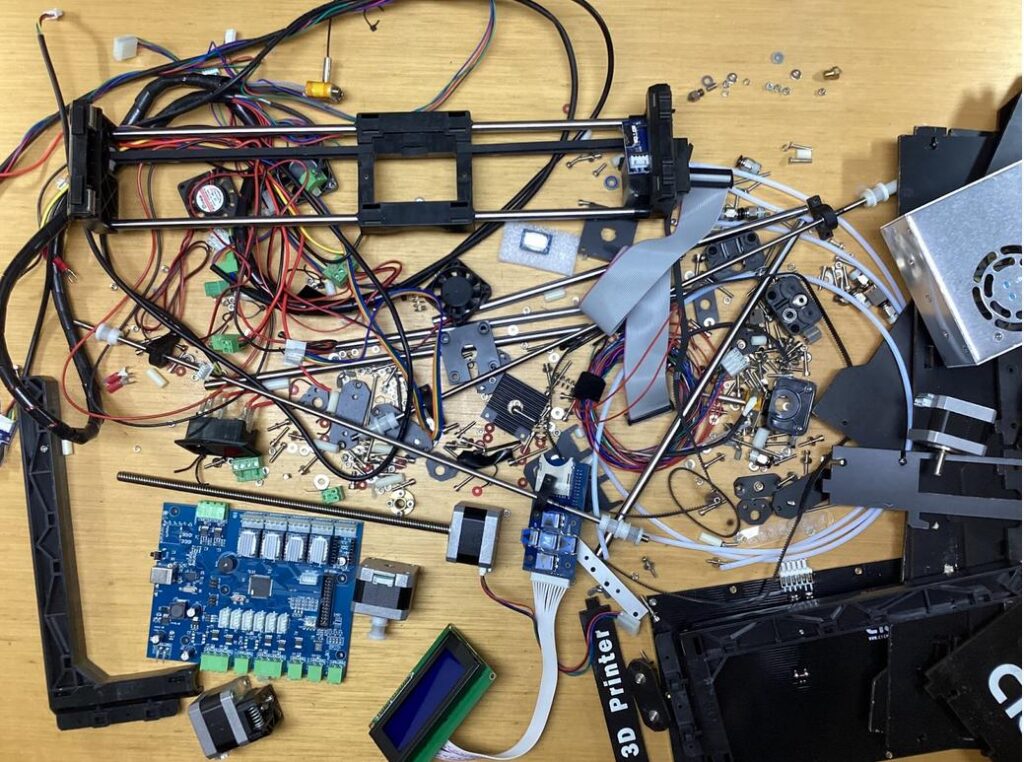
Made almost entirely from my old 3D printer parts + parts printed with my new Prusa printer.
My first 3D printer was a CTC generation 2 clone of MakerBot ‘The Replicator Dual’, circa 2012. It died a little while back and has since been replaced with a Prusa i3 MK3S+. Not one to waste any bits, I disassembled / broke down the 3D printer into component pieces, looking for inspiration for a project – one made mainly from these bits.
And I came up with the Roverling. I’m attempting to make a wheeled platform, mainly from these bits, that can be used in a multitasking environment and for further development. I’m designing and making it on the fly so I don’t have an overall picture or plan.
The basic design consists of 4 independently driven wheels using stepper motors. The plan is to use differential drive to manoeuver and steer (untested). I would use servos for steering, except I’m trying to use just what’s available as much as possible.
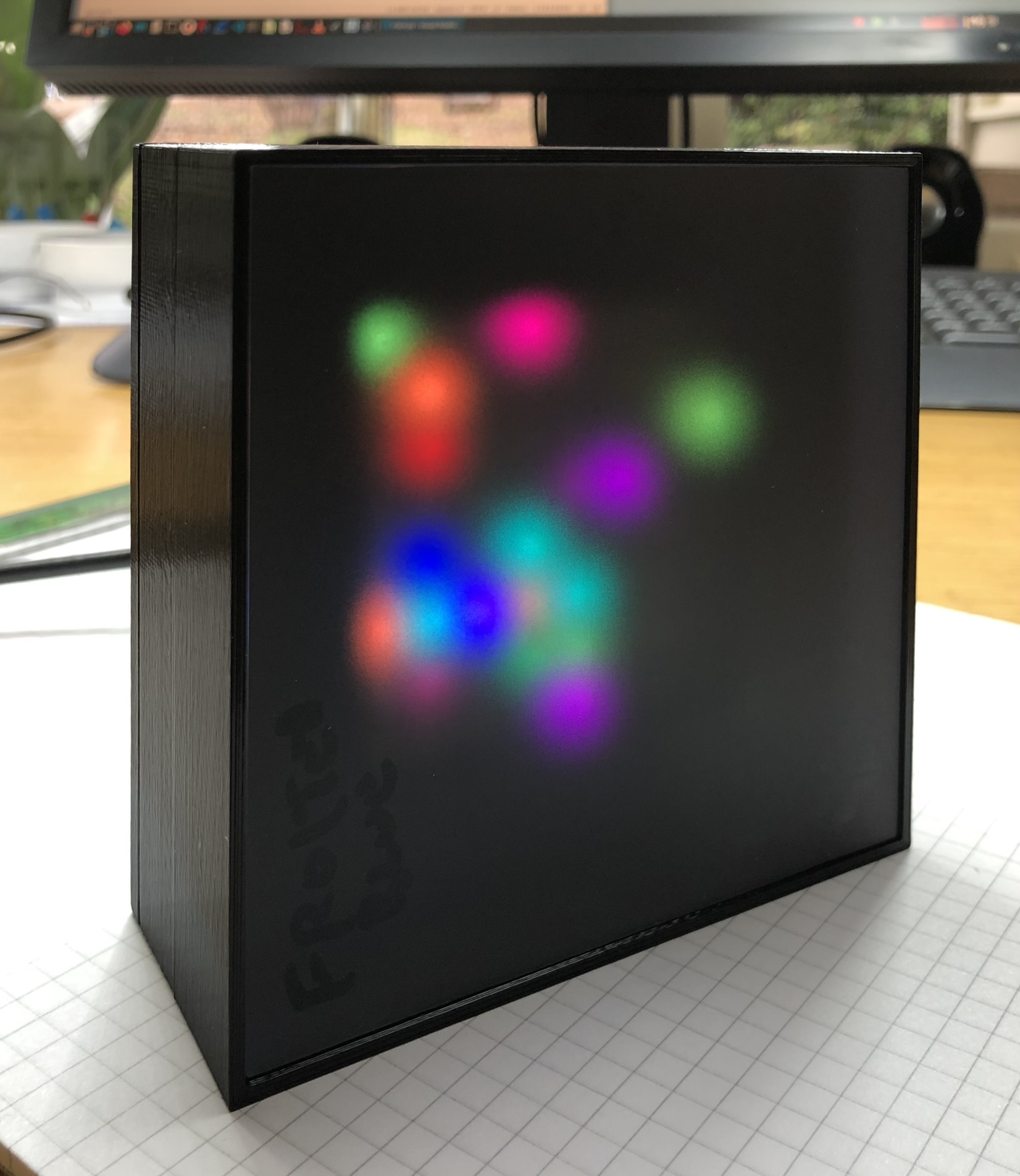
I wanted to make something artistic and dynamic using an 8×8 matrix of RGB LED’s, that I recently discovered.
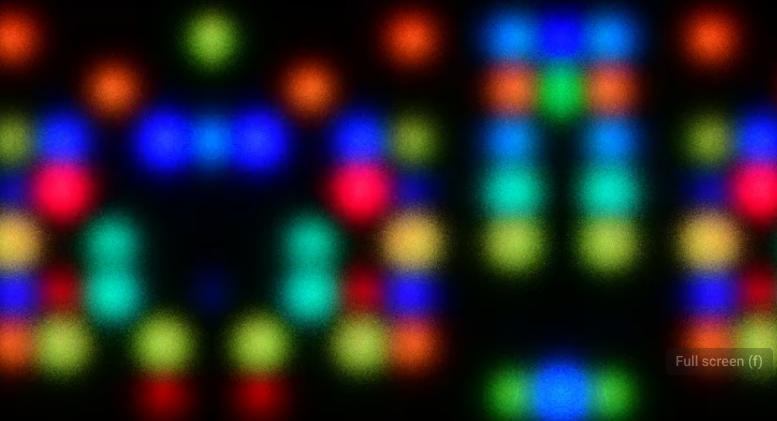
I used a cheap RP2040 MCU module, programmed in Python to produce the random patterns. I just played around with numbers and algorithms until I liked the look of them. It seems that people all have very differing favorites and some that I didn’t like, others love. So to that end, I created 4 different algorithms which create distinctive patterns over time. I didn’t want to use any switches so an accelerometer determines the orientation of the cube which sets the mode. The unit resets itself when put on its back.
The Cuboid was used to make some colourful videos and also inspired the Glyph Generator project.
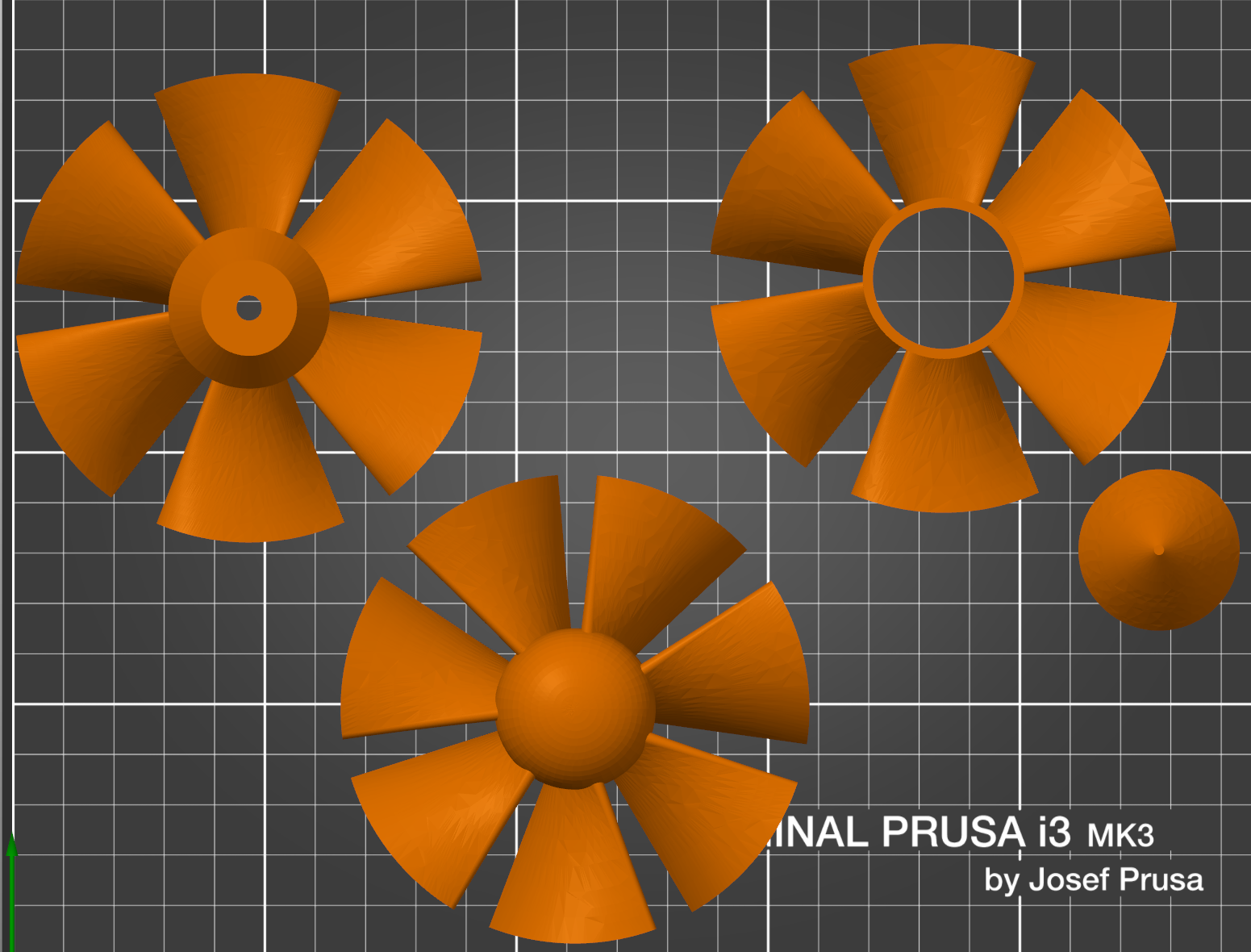
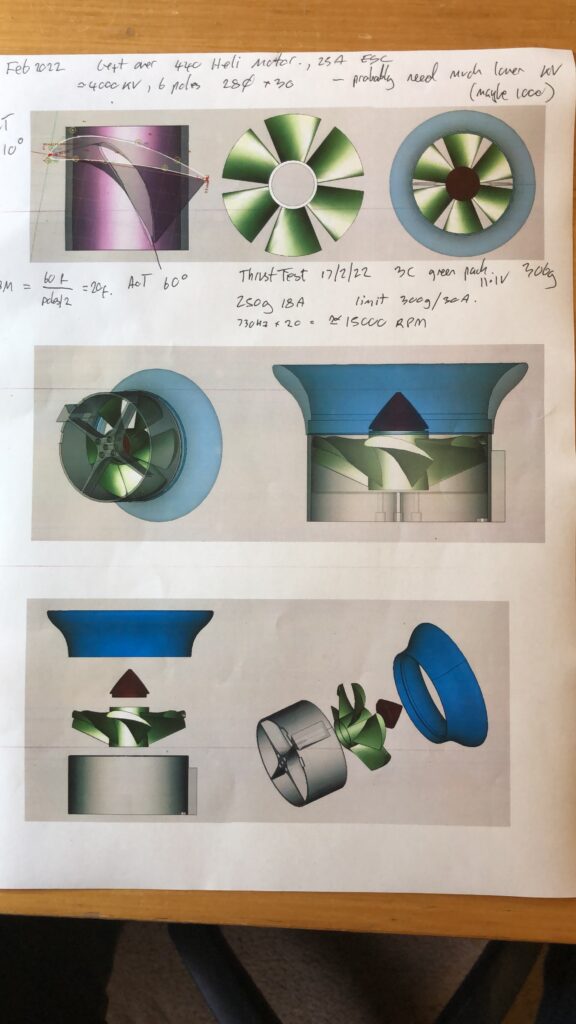
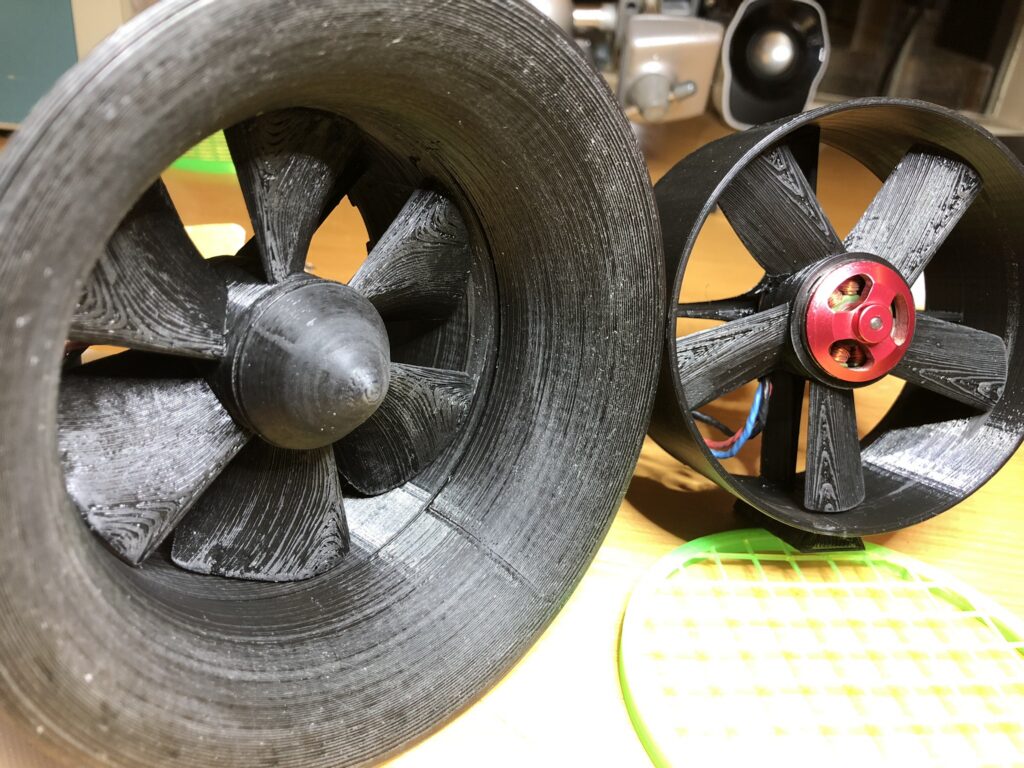
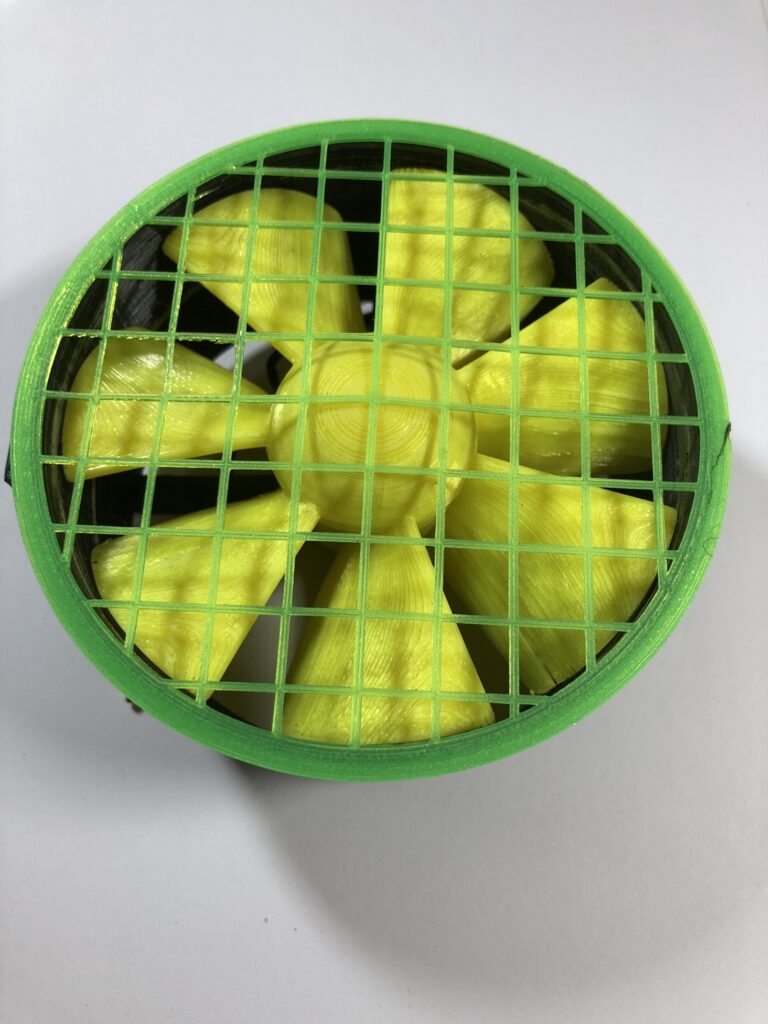
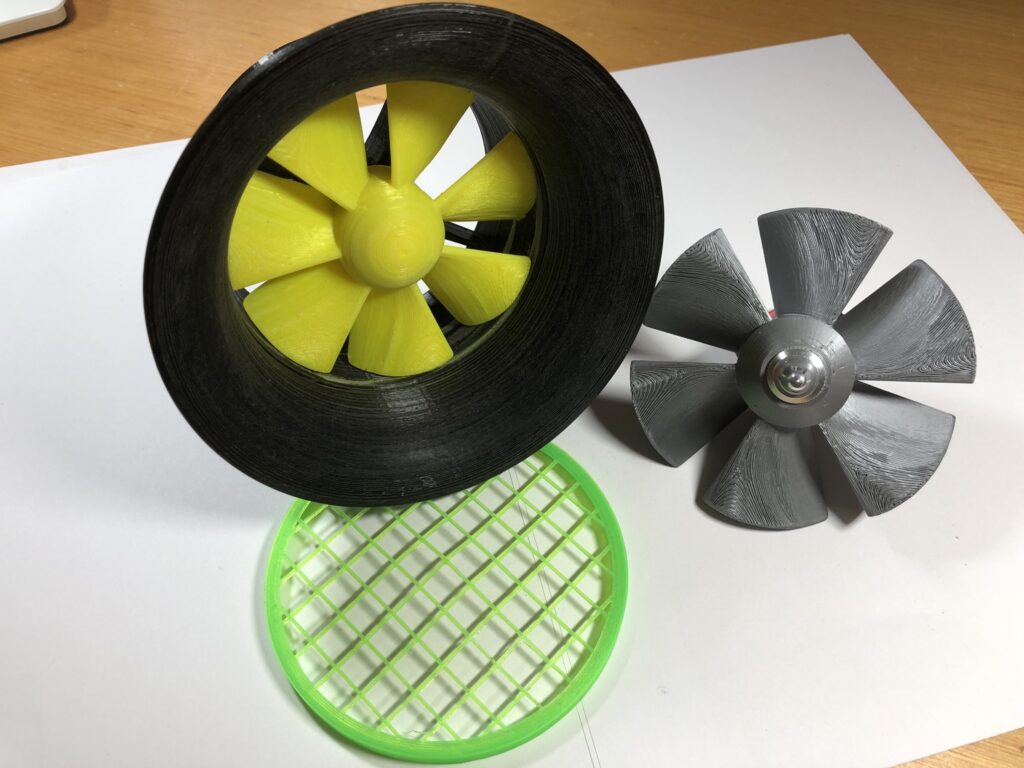
I had some spare BLDC RC motors lying around – rated at 4000Kv, 6 pole, 24mm diameter, 30mm long and I wanted to design my own EDF (Electric Ducted Fan) for use in a VTOT (Vertical Take Off Thing).
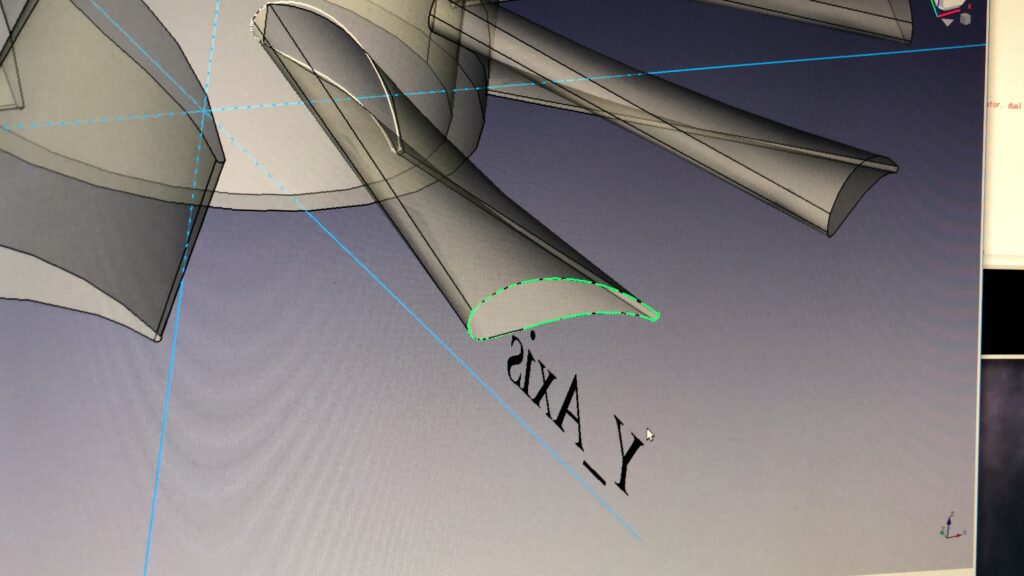
As it turns out it belw lots of air but not enough to lift itself and the battery. In any case I published my 3D propeller designs and they were a bit of a hot. Not sure if anyone actually printed and used them though.
As a kid I wanted to make a pinball machine. So with just a few solenoids, a 3D printer, and some bits and pieces I’m going to make a two player 3D pinball thing. It will have multiple 5mm ball bearings flying around at high speed, it will be module based and reconfigurable, portable and run on a couple of 18650 batteries. I’m using an RP2040 Pico board to control the thing and tune it. It may not be needed in the final version.